- SalesforceChaCha
- Posts
- 💃 Your Code’s Calorie Counter 🕺
💃 Your Code’s Calorie Counter 🕺
Eat smart, code smart

Salesforce ChaCha
December 02, 2025 • Estimated Reading Time: 3 minutes
Good morning, Salesforce Nerds! Every Salesforce developer eventually meets the platform’s toughest personal trainer: Governor Limits.
They watch everything. They count everything. They don’t care about your feelings. 😭
But the Limits class? That’s the calorie counter that keeps you from blowing your daily allowance in one reckless loop.
It’s like a Fitbit for your Apex. 💪
It gives you real-time stats on how close you are to face-planting into a limit exception. Used well, it helps you write scalable, predictable, enterprise-ready code.
Used poorly … well, hope you enjoy debugging in Production. 💥
In this article, we’ll take a tour of the Limits class, what it measures, how it works, and (most importantly) how to build a maintainable limit-aware framework that keeps your Apex fit, healthy, and out of the ER. 🏥
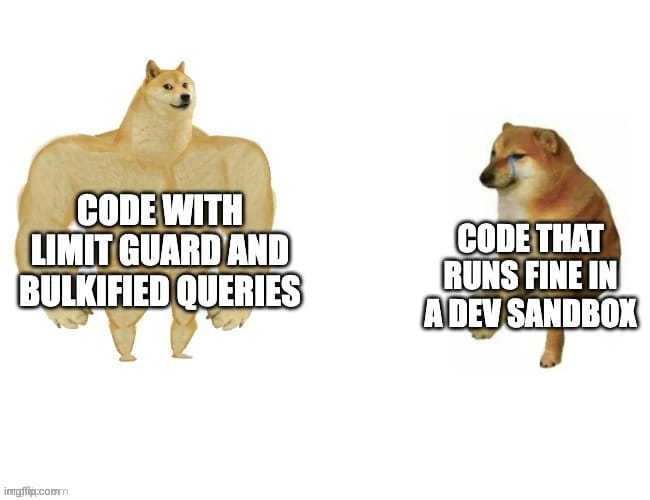
TABLE OF CONTENTS
💃 Your Code’s Calorie Counter 🕺
COUNT EVERYTHING
MEET YOUR MACRO TRACKER
Governor Limits are the platform’s way of keeping Apex multi-tenant friendly. 🏢
They ensure every piece of code behaves like a polite gym member: no hogging equipment, no slamming weights, no running 500 SOQL queries in a single method because “it works on my dev sandbox.”
The Limits class exposes two types of information: ✌️
1. Consumption counters (what you’ve eaten so far)
These methods show your current usage. Examples:
Limits.getQueries()Limits.getDmlRows()Limits.getFutureCalls()Limits.getCpuTime()
2. Maximum allowed values (your daily calorie budget)
These methods return the limit caps for the current transaction:
Limits.getLimitQueries()Limits.getLimitDmlStatements()Limits.getLimitCpuTime()
This dual view - what you consumed vs. what you’re allowed - lets you build logic that reacts before things break. 🧠
Instead of crossing the limit and collapsing mid-rep, your code can gracefully downshift or hand work off to Queueables, Batches, or Platform Events. 🔥
KNOW YOUR INTAKE
READING THE NUTRITION LABEL
Most Apex failures tied to governor limits come from not knowing how close the transaction is to the edge. ❓️
A few common offenders:
Recursive logic that loops itself into oblivion
Unbulkified queries
Flow-triggered Apex that already used half the CPU
Trigger frameworks that bury SOQL calls in helper methods
“One more query won't hurt…” (It will.)
Here’s a small conceptual snippet showing how to track your usage:
Integer used = Limits.getQueries();
Integer max  = Limits.getLimitQueries();

System.debug('Query consumption: ' + used + '/' + max);

// Example: If you're at 90% of your budget, bail out safely
if (used > (max * 0.9)) {
    // Push remaining work to a Queueable
    System.enqueueJob(new RemainingWork());
    return;
}
Apex doesn’t give you many warnings before hitting limits. ⚠️
But with the Limits class, you can see danger coming 10 pushups away.
EAT APEX RESPONSIBLY
THE PORTION CONTROL FRAMEWORK
Most developers eventually sprinkle Limits checks around like seasoning.
Useful, but messy. 🫠
A maintainable approach uses a lightweight guard framework that centralizes limit checks and enforces predictable behavior.
Here’s a middle-weight pattern that fits most enterprise orgs: 👇️
Step 1: Create a LimitGuard utility
public class LimitGuard {
    public static Boolean nearingQueryLimit(Integer thresholdPercent) {
        Integer used = Limits.getQueries();
        Integer max  = Limits.getLimitQueries();
        return used >= Math.floor(max * (thresholdPercent / 100.0));
    }

    public static Boolean nearingCpuLimit(Integer thresholdMs) {
        return Limits.getCpuTime() >= (Limits.getLimitCpuTime() - thresholdMs);
    }
}
Step 2: Use it in service-layer Apex
This keeps triggers thin, logic bulkified, and everything predictable.
public class ContactService {

    public static void updateContacts(List<Contact> contacts) {

        if (LimitGuard.nearingQueryLimit(90)) {
            System.enqueueJob(new DeferContactUpdates(contacts));
            return;
        }

        // Safe to proceed
        update contacts;
    }
}
Step 3: Pair with a modern architectural pattern
Great partners include:
Trigger Frameworks to centralize logic
Platform Events to offload work
Queueable or Batch Apex for predictable processing
Orchestrator or Flow + Apex combos for hybrid workloads
Good architecture recognizes when the page is full … and moves the rest to the next chapter. 📚️
AVOID EMPTY CALORIES
THE BULKIFICATION MEAL PLAN
A calorie counter doesn’t help much if your diet is all funnel cakes. 🍰
The Limits class is part of the equation; the other part is healthy coding habits. 🥕
A few best practices:
Stop DML inside loops
The oldest anti-pattern in Salesforce history. Just don’t.
// Bad: 200 updates, 200 future regrets
for (Account a : accts) {
    update a;
}

// Good: bulk update
update accts;
Cache queries when possible
If you need the same set of records multiple times, query once and pass the results around. 💨
Use Queueable Apex when you’re running heavy workloads
If you’re burning CPU or running large queries, shift work out of the synchronous request.
Use Platform Events when you’re coordinating multiple systems
They’re asynchronous, scalable, and far more graceful than a single overloaded transaction. 💯
Leverage Limits.getHeapSize() for large in-memory processing
Large collections can kill a transaction long before SOQL does.
The Limits class doesn’t replace bulkification. It just gives you real-time telemetry to stay on track. 🛤️
STAY LIMIT-HEALTHY
FINISH STRONG
The Limits class is one of the most underrated tools in the Apex ecosystem.
It’s simple. It’s fast. It’s the only way to see how close you are to governor limits before you hit them. 🧱
It belongs in every service layer, every trigger framework, and every high-volume operation.
Used well, it gives your code the same benefits a calorie counter gives your diet: clarity, discipline, and early warning signals before you overdo it. 🚨
If you want scalable Apex applications, airtight bulkification, and architecture that survives platform growth year after year, the Limits class is your quiet, reliable partner.
Keep it close. Check it often. Treat it like the telemetry layer your code always needed.
Because on the Salesforce platform, healthy code isn’t accidental. It’s intentional. 👈️
And Limits is how you measure it.
SOUL FOOD
Today’s Principle
"Code is like humor. When you have to explain it, it’s bad."
and now....Salesforce Memes


What did you think about today's newsletter? |